Step 1
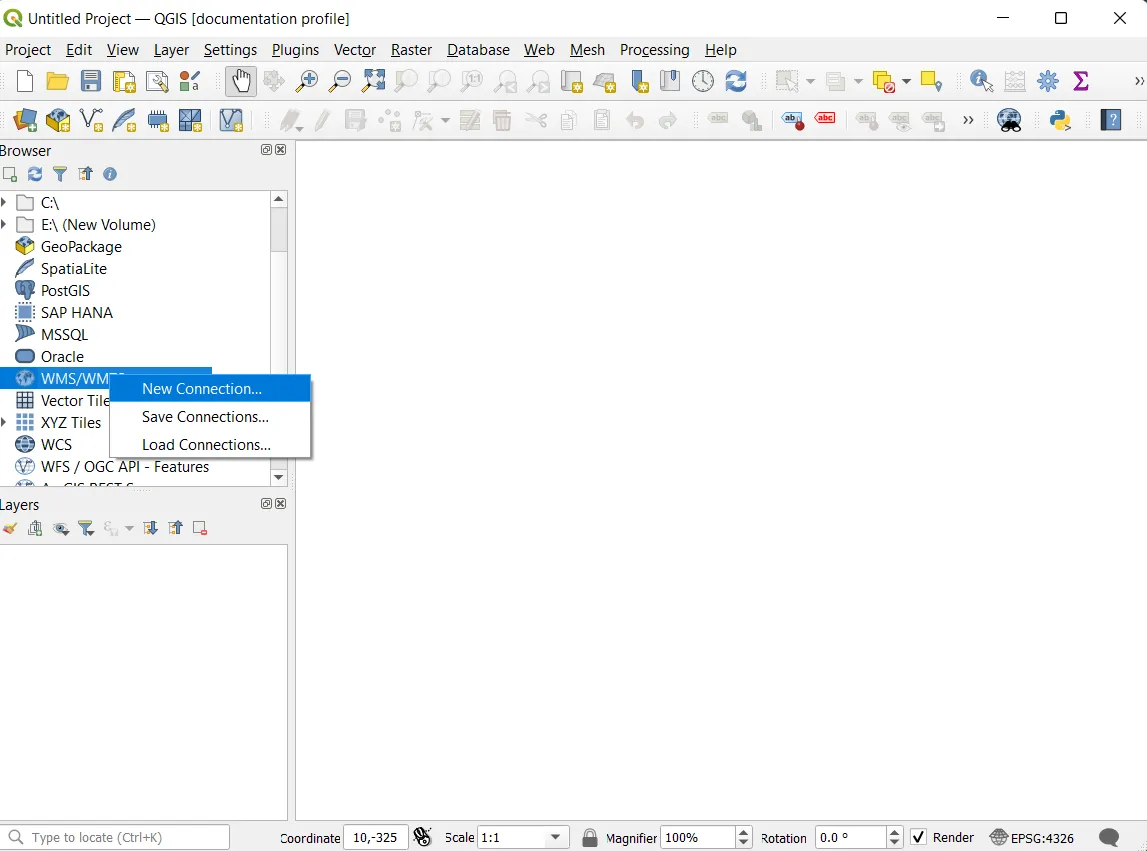
To import your WMTS in QGIS, go to the Browser Panel, find WMS, right click on it and click on New Connection...
Step 2
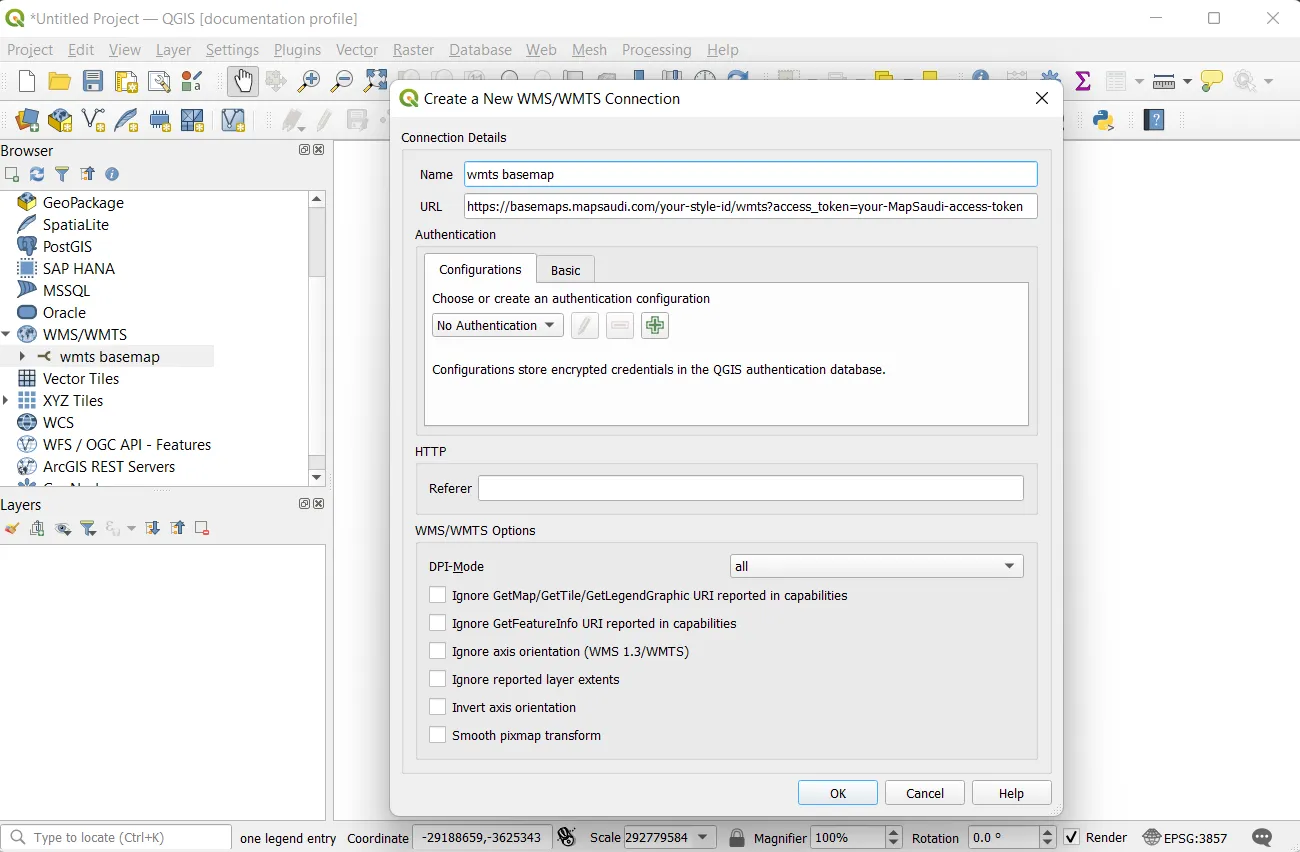
A new window opens with settings to configure:
- Name: Name of the layer you will create. We will use tabaqat for our example, but you are free to choose what ever you want.
- URL: Path to the WMTS file or HTTP link to import. We will use a HTTP link from tabaqat here. Other settings are left empty in our case. Your new connection will be added in WMS section on Browser Panel.
Step 3
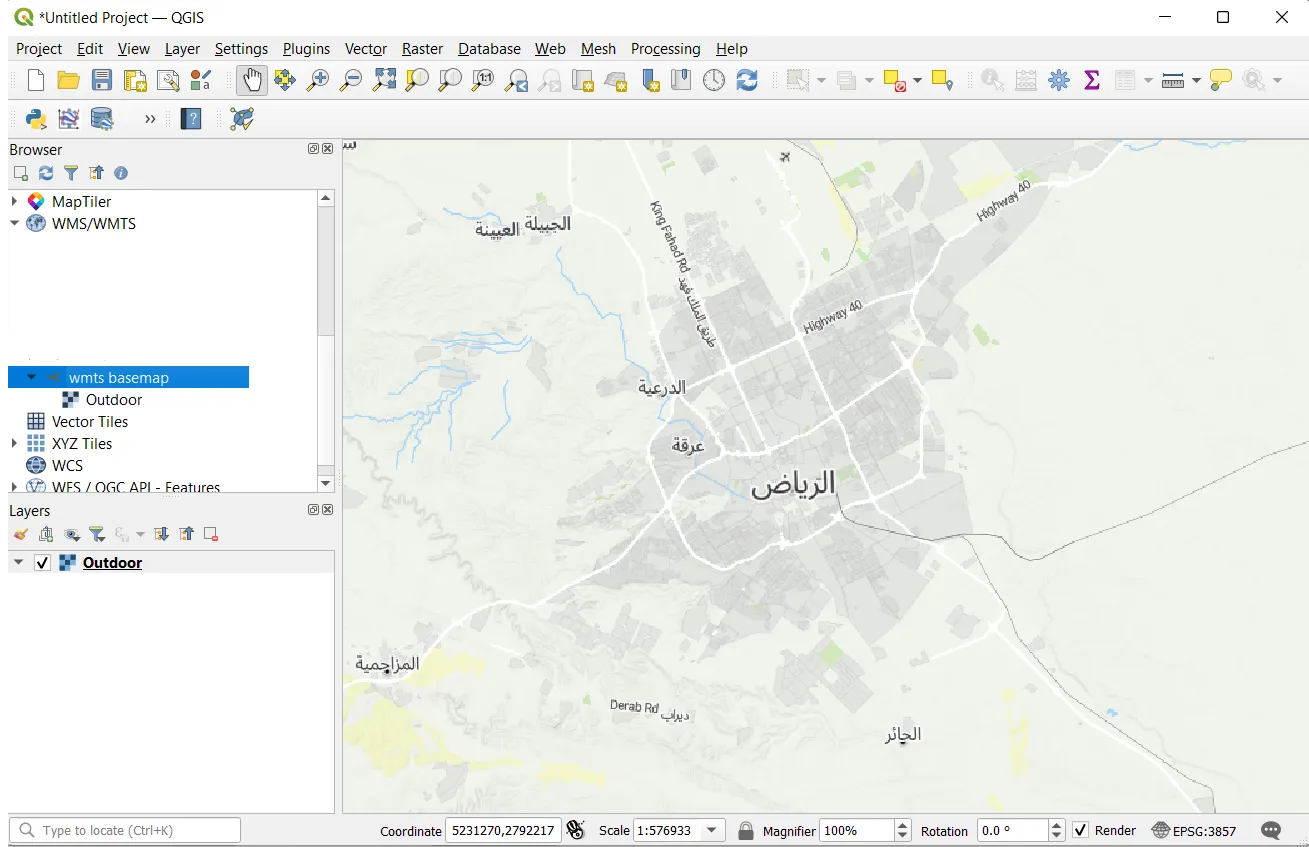
Open your WMS dropdown from your Browser Panel and find your new connection. Double-click on your layer and voilà.