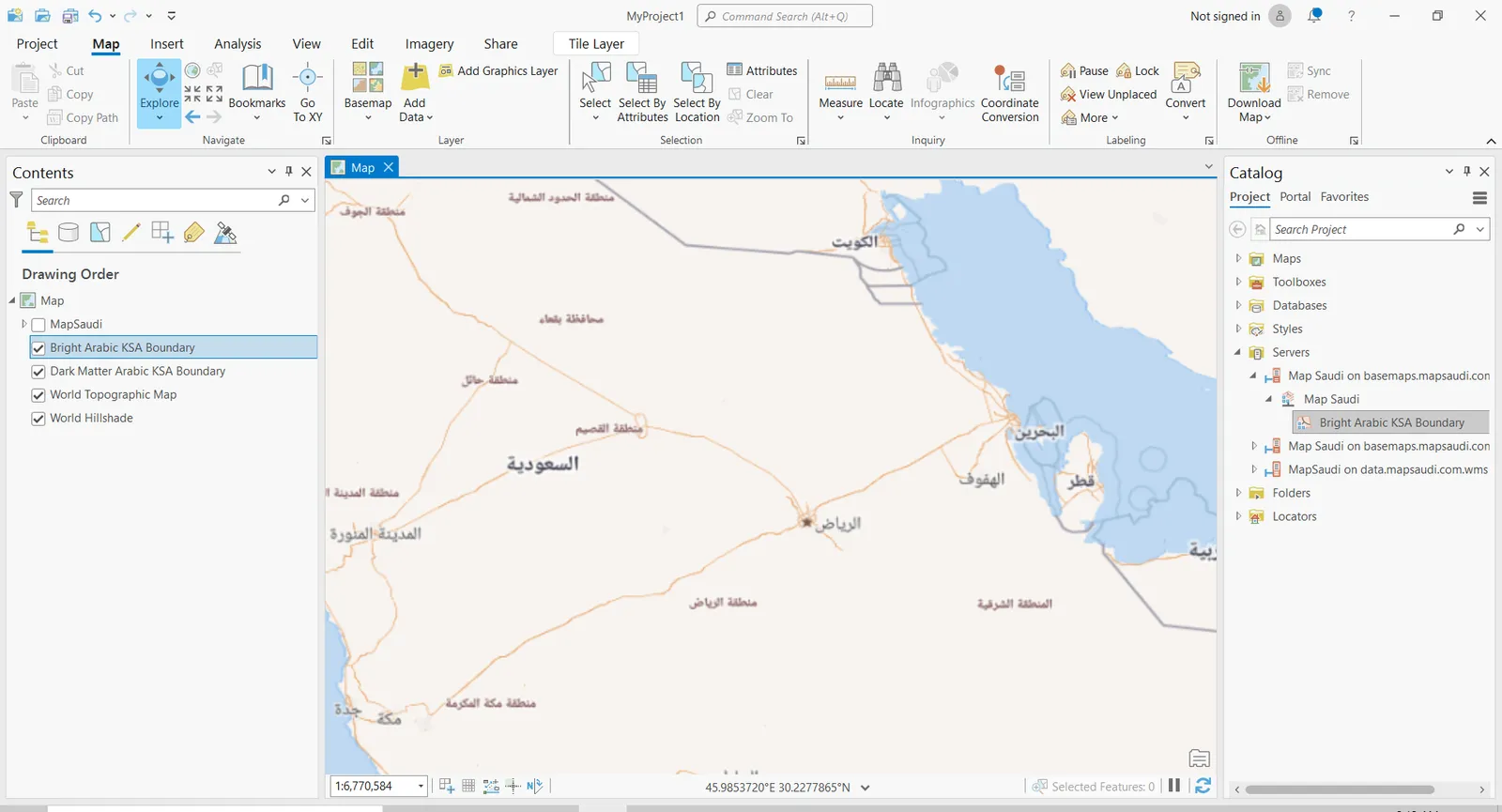
Requirements
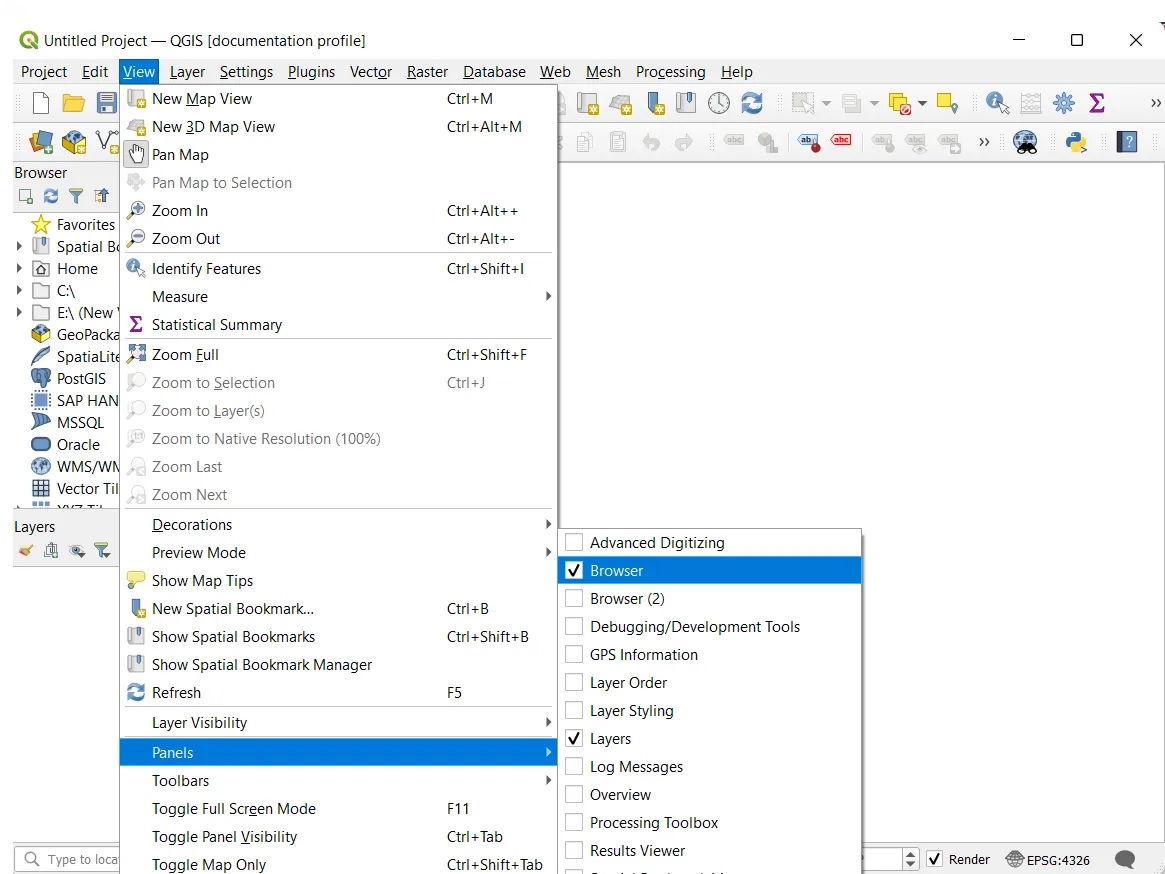
Make sure that Browser view and Layers view are on. Click on the View tab on top of the QGIS window, then select Browser and Layers in the Panels section.
Step 1
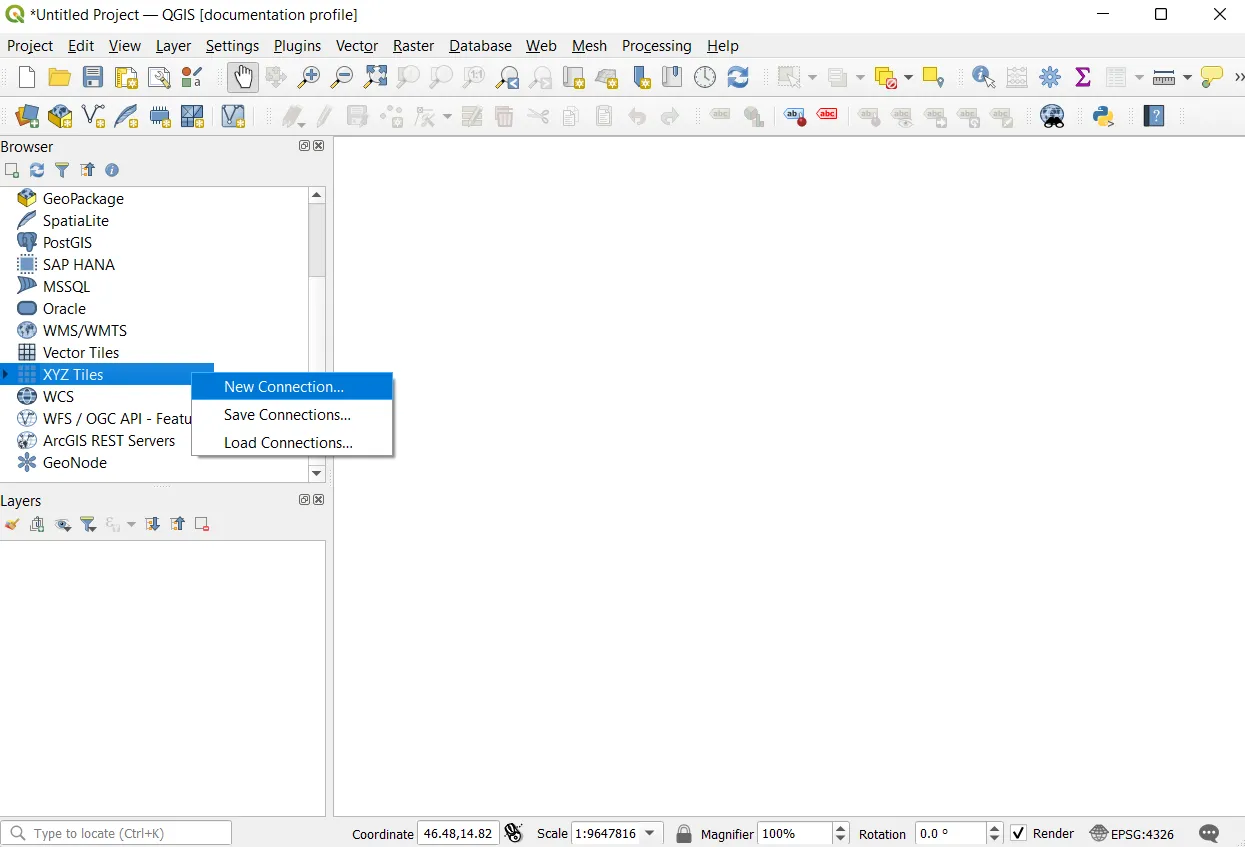
To import your XYZ layer in QGIS, go to the Browser Panel, find XYZ Tiles, right click on it and click on New Connection...
Step 2
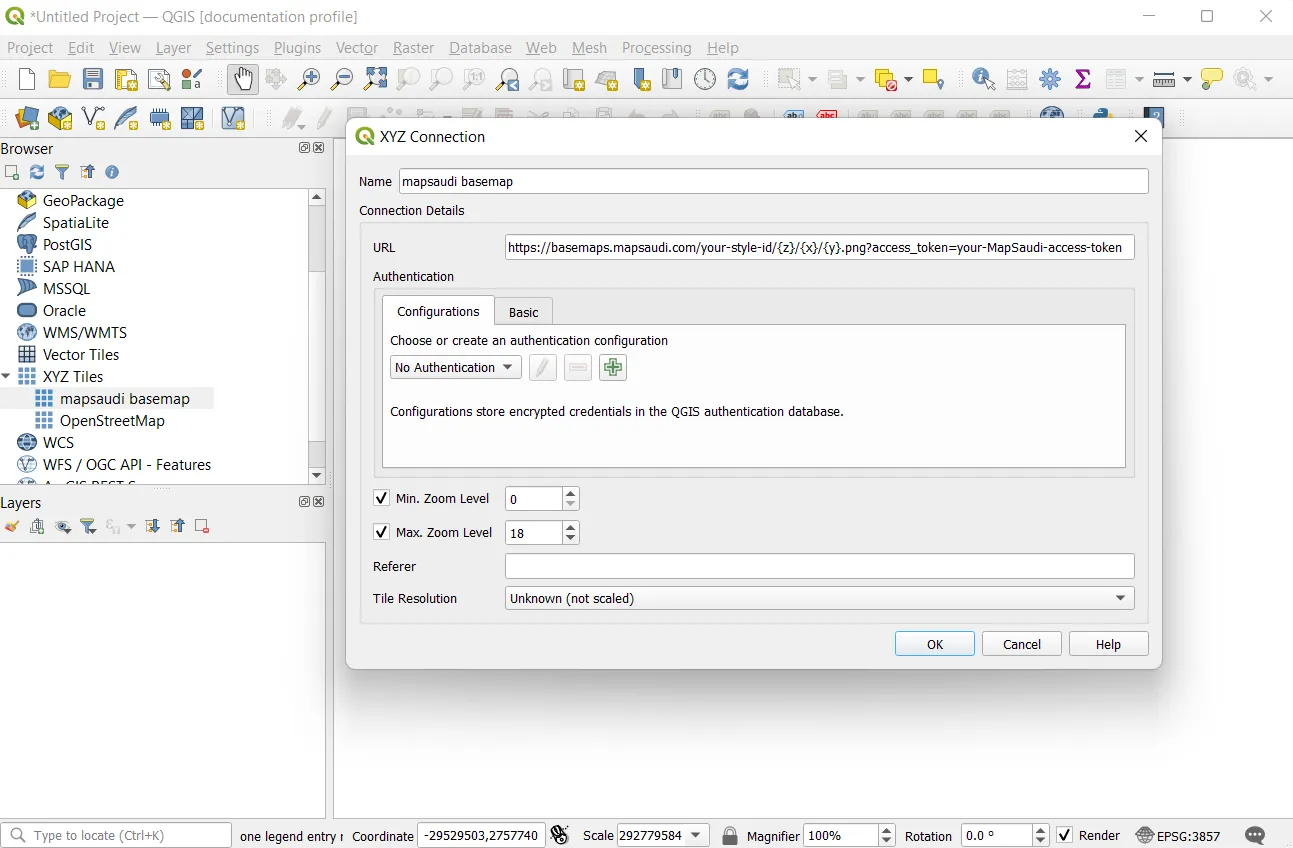
A new window opens with settings to configure:
- Name: Name of the layer you will create. We will use tabaqat Sunny for our example, but you are free to choose what ever you want.
- URL: Link for XYZ tile source.
- Max. Zoom Level: You can set the max zoom level to 20.
Your new connection will be added in XYZ section on Browser Panel.
Step 3
Open your XYZ dropdown from your Browser Panel and find your new connection. Double-click on your layer and voilà.
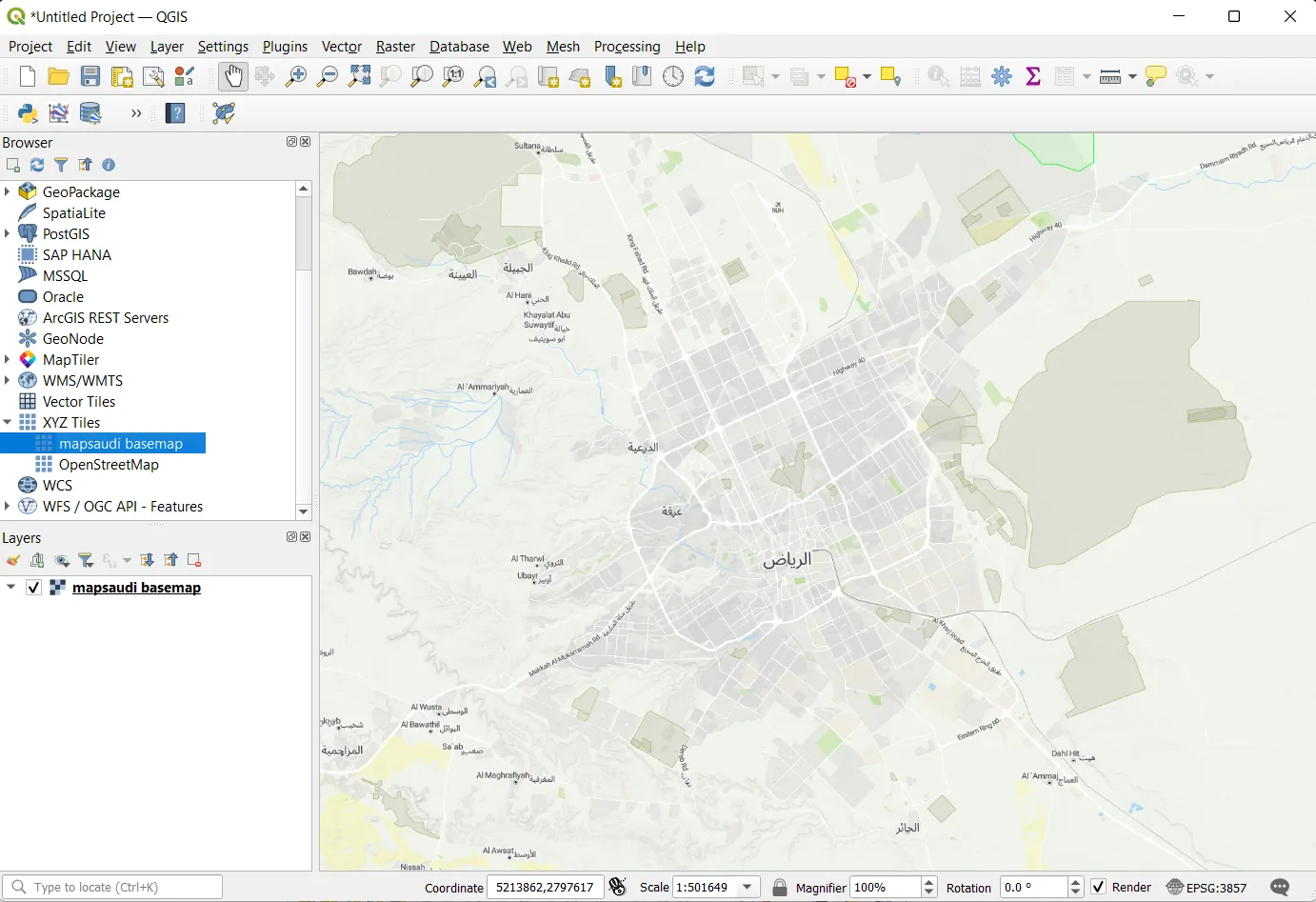
Open your tabaqat connection dropdown from you Servers and find your new connection. Drag and drop your layer in the map windows and voilà.