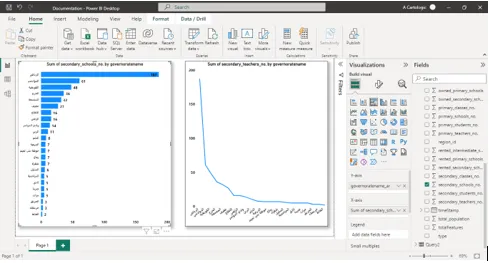
Connect to Tabaqat Link
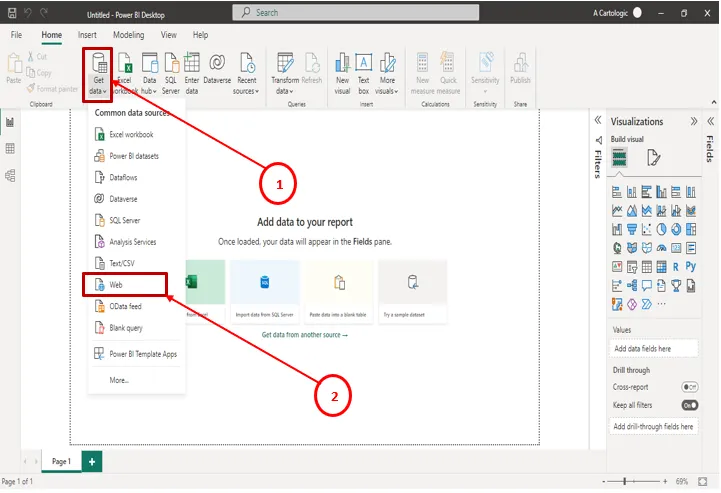
1. Open Power BI Desktop and Connect to Web.
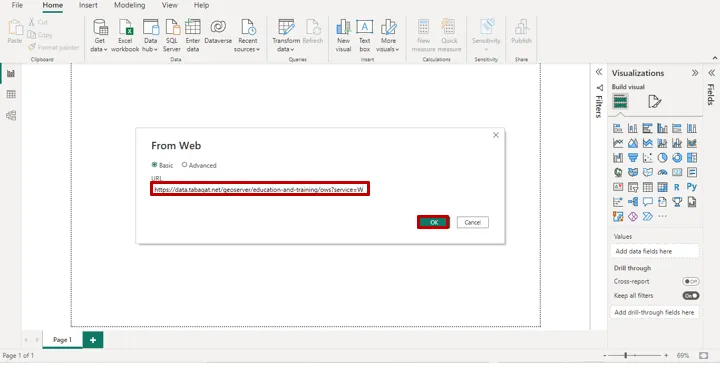
2. Migrate URL and access token from tabaqat.net
3. Power BI will forward you automatically to Power Query editor.
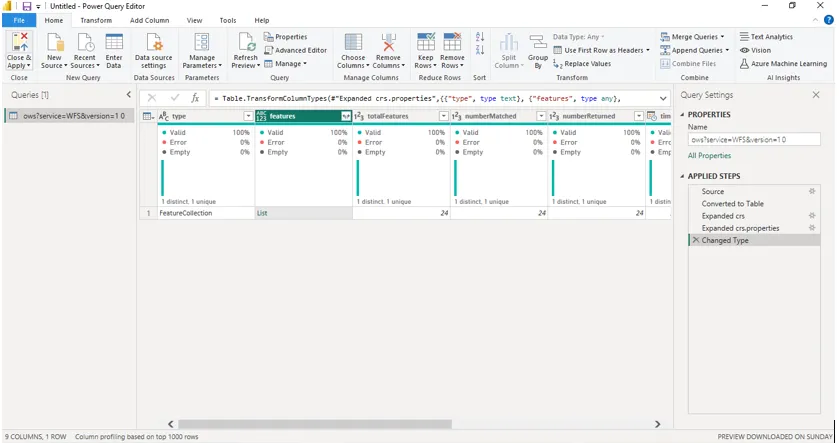
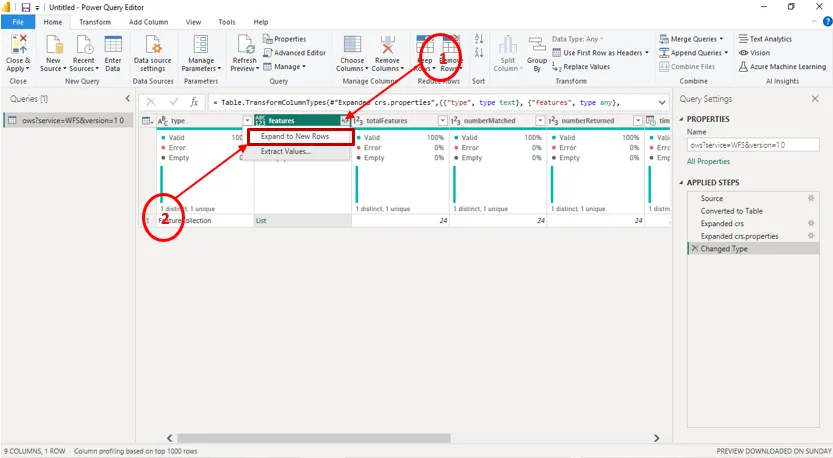
4. Press on Expand to New Rows.
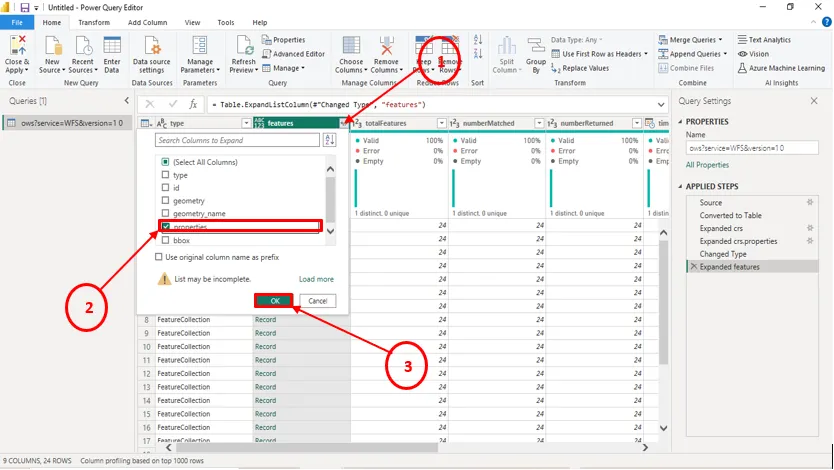
5. Expand Features again and Choose Properties.
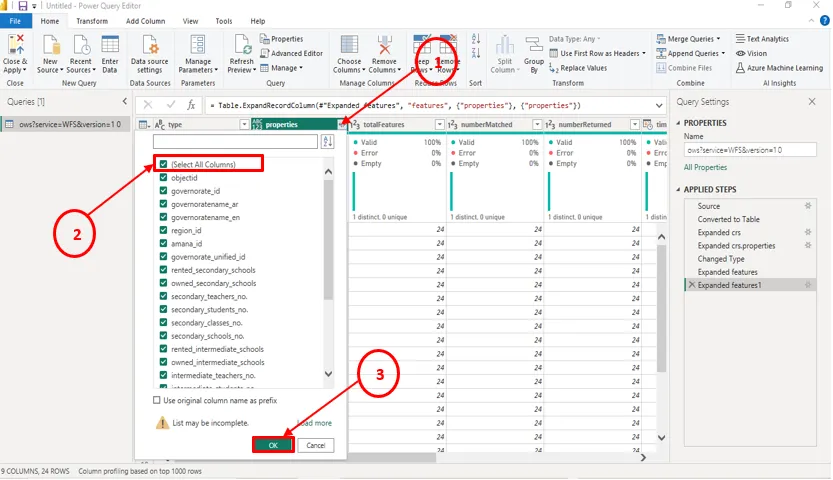
6. Expand Properties and Select All Columns.
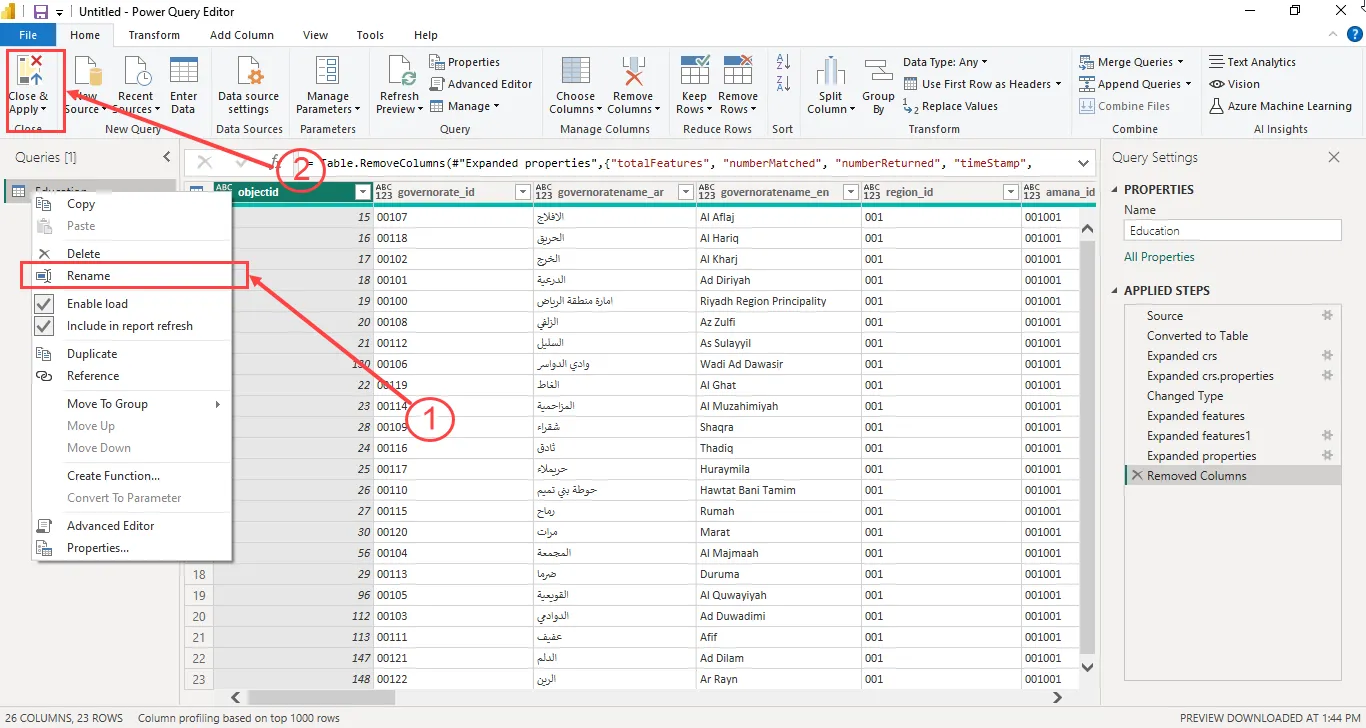
7. Rename the table to a convenient name and then click Close and Apply.
8. Build your visuals using the data