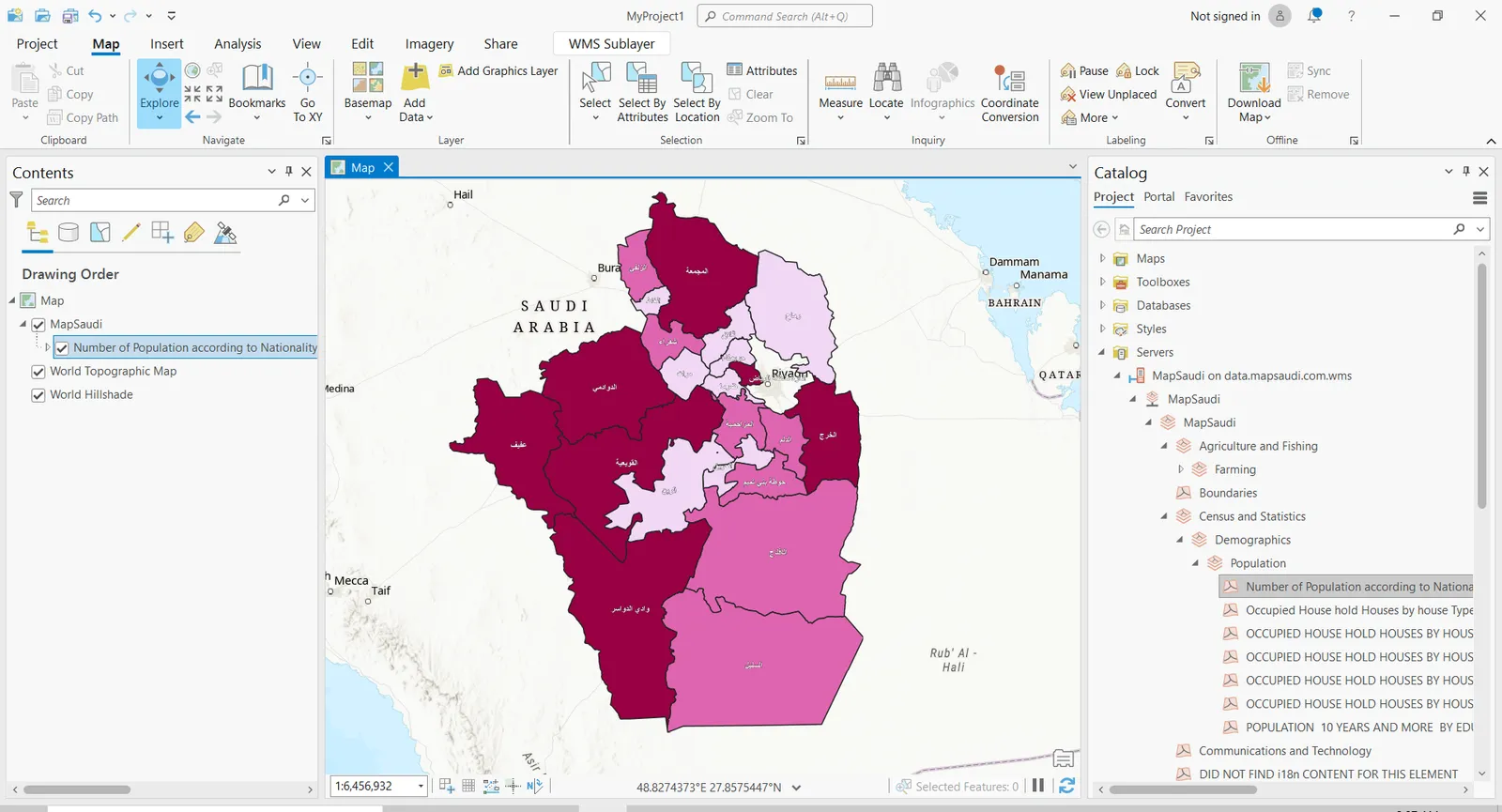
Step 1
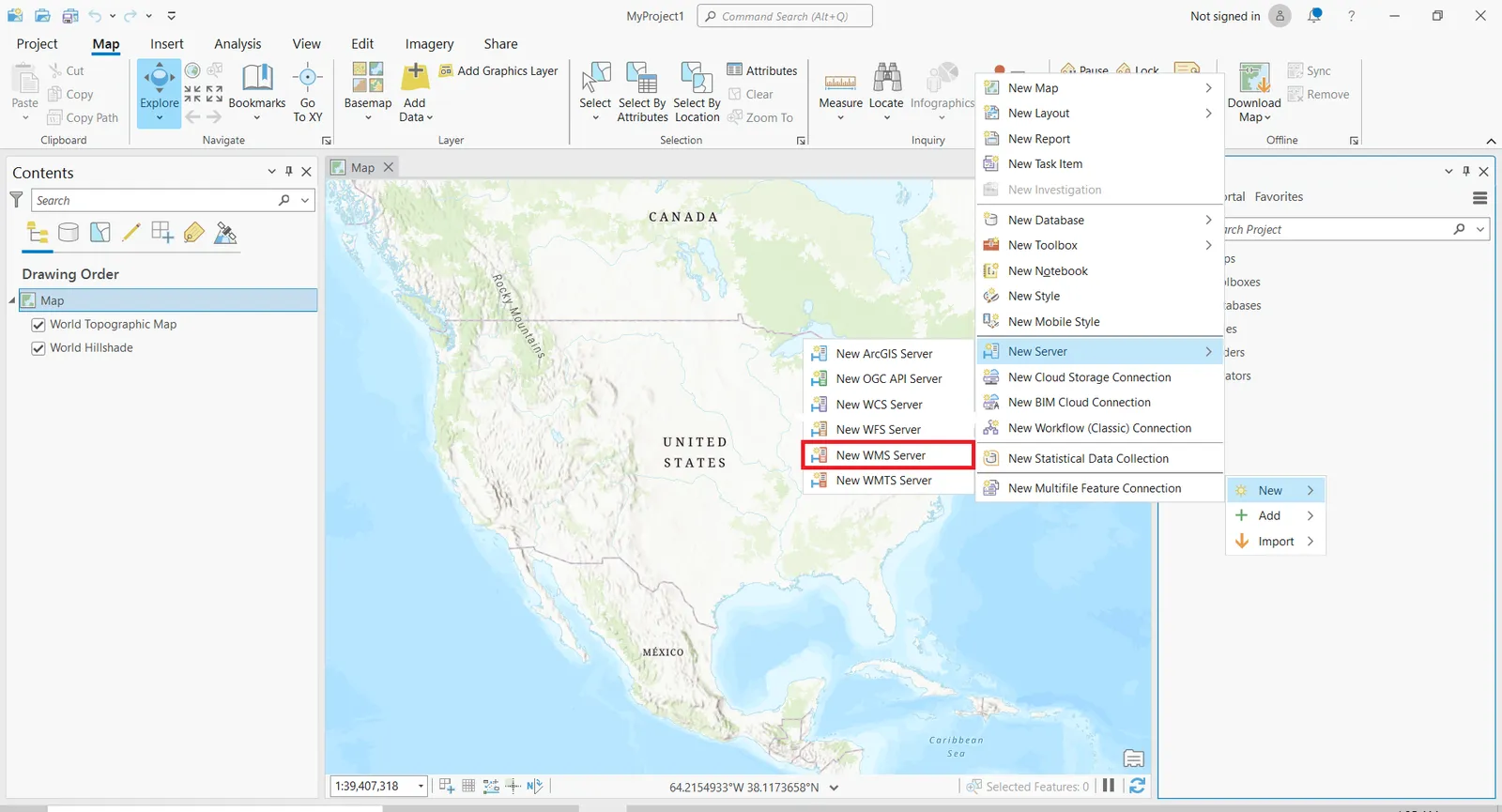
To import your WMS in ArcGIS Pro, go to the Catalog Pane, right click in there and select New then select from the sub menu New server, then select New WMS server
Step 2
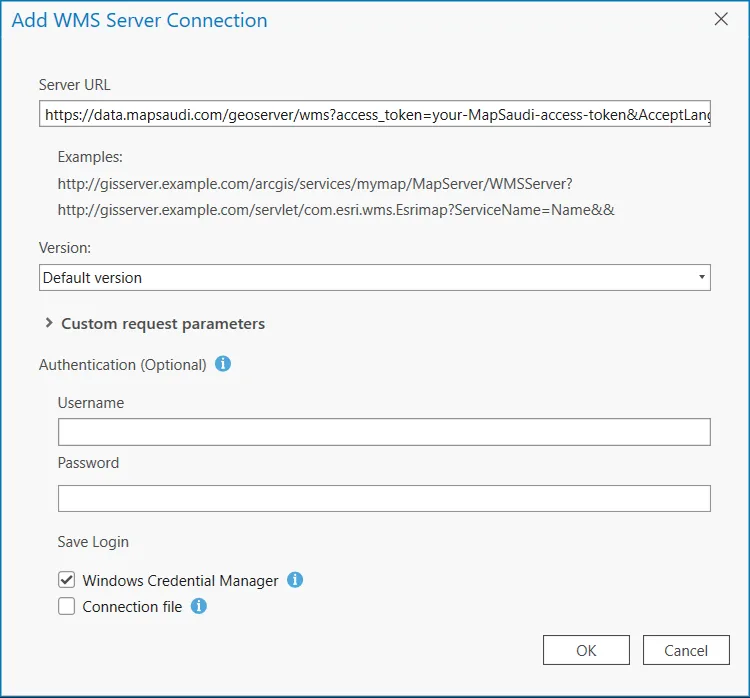
A new window opens with settings to configure:
- Server URL: Path to the WMTS file or HTTP link to import. We will use a HTTP link from tabaqat here. Other settings are left empty in our case. Your new connection will be added in Projects tab in the Catalog in Servers.
Step 3
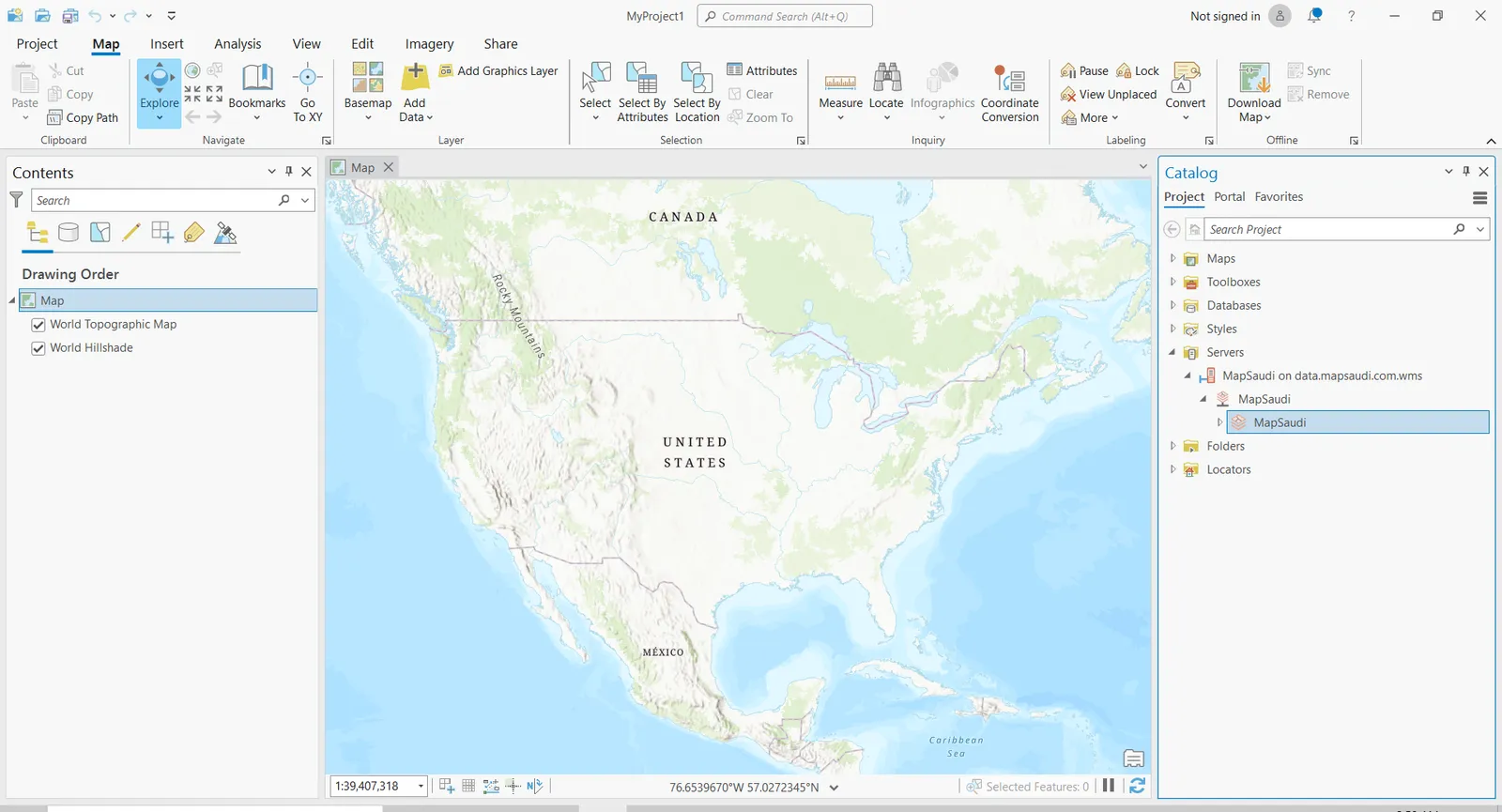
Open your tabaqat connection dropdown from Servers and find your new connection. You can open the tabaqat dropdown further to find the data categories.
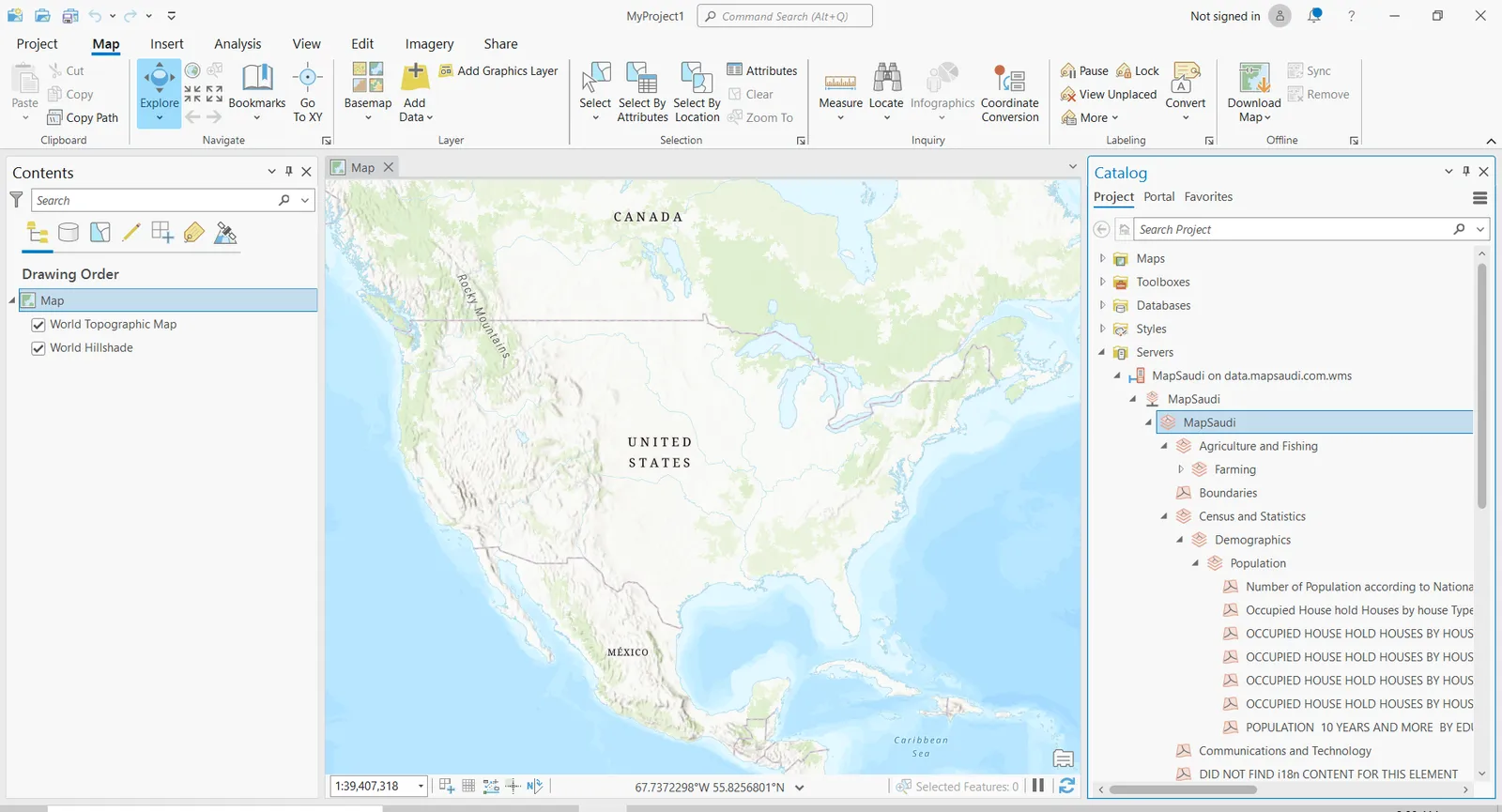
Step 4
Drag and drop your layer in the map window and voilà.